A clear view of who is using each room
See client names and booking times directly on the room calendar. Follow each space’s reservations throughout the day.
View feature: A clear view of who is using each room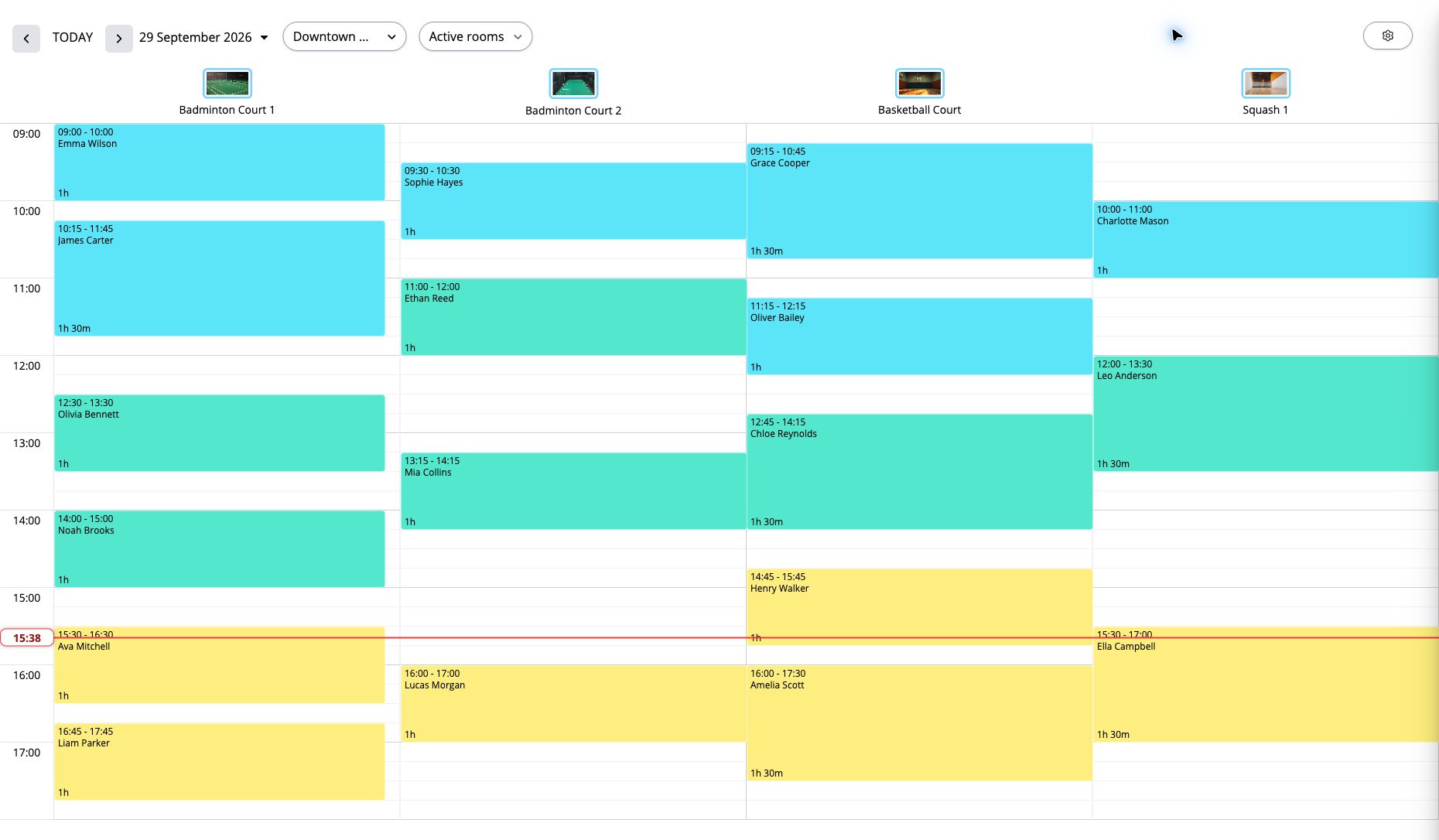
A meeting room for an hour, a studio for a rehearsal or a court for practice: the space and how long it is needed are what matter. WebbyBooky helps you organise reservations around each room’s calendar, duration rules and rate.
Set up the rooms and spaces you offer so each reservation is assigned to the right place.
Schedule the reservation within your room’s minimum and maximum booking durations.
The booking price updates with the duration, based on the room’s rate.
See client names and booking times directly on the room calendar. Follow each space’s reservations throughout the day.
View feature: A clear view of who is using each roomSet minimum and maximum booking lengths for each room, whether you offer short meeting slots or longer studio sessions.
View feature: Duration rules that suit your space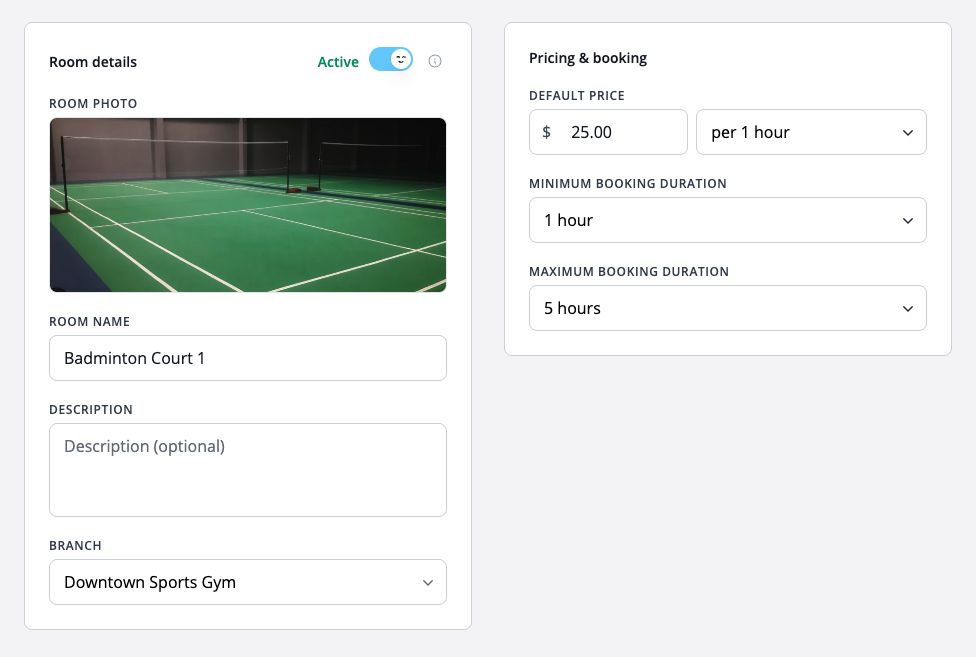
Share your booking page so customers can choose a space, select how long they need it and see the price. They can pick a date and available start time themselves, without calling to check your schedule.
View feature: Let customers book online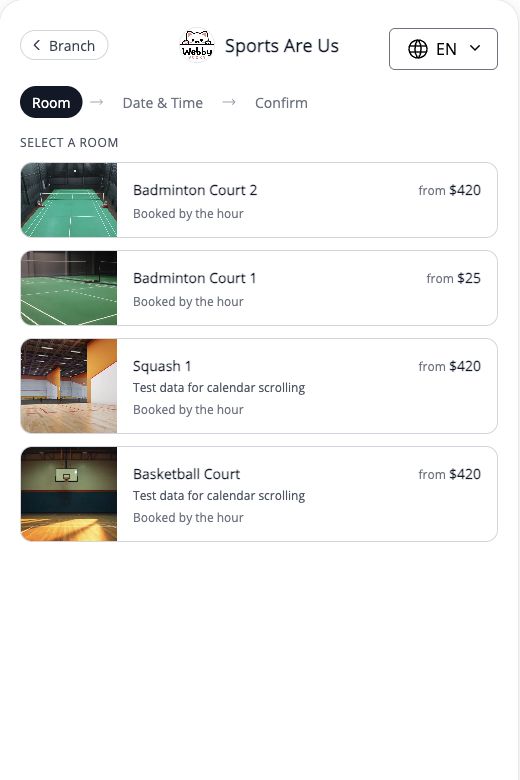
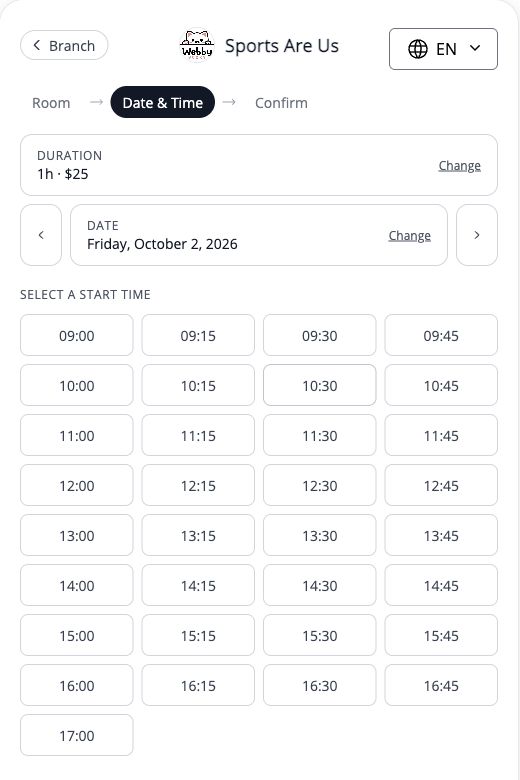
Adjust a reservation’s duration and the price updates automatically using the room’s rate, reducing manual calculations.
View feature: Pricing that follows the booking lengthManage your branches from one account, set their opening hours and switch between locations when reviewing bookings.
View feature: Rooms across multiple locationsUse this booking type when the room or space itself is being reserved. For yoga, dance and other studios, this means booking the studio space.