Take payments at your front desk
Accept card payments with Stripe Terminal, let clients scan a QR code to pay on their phone, or send a payment link by SMS or email.
Card reader payments powered by Stripe Terminal
From booking to in-person payment
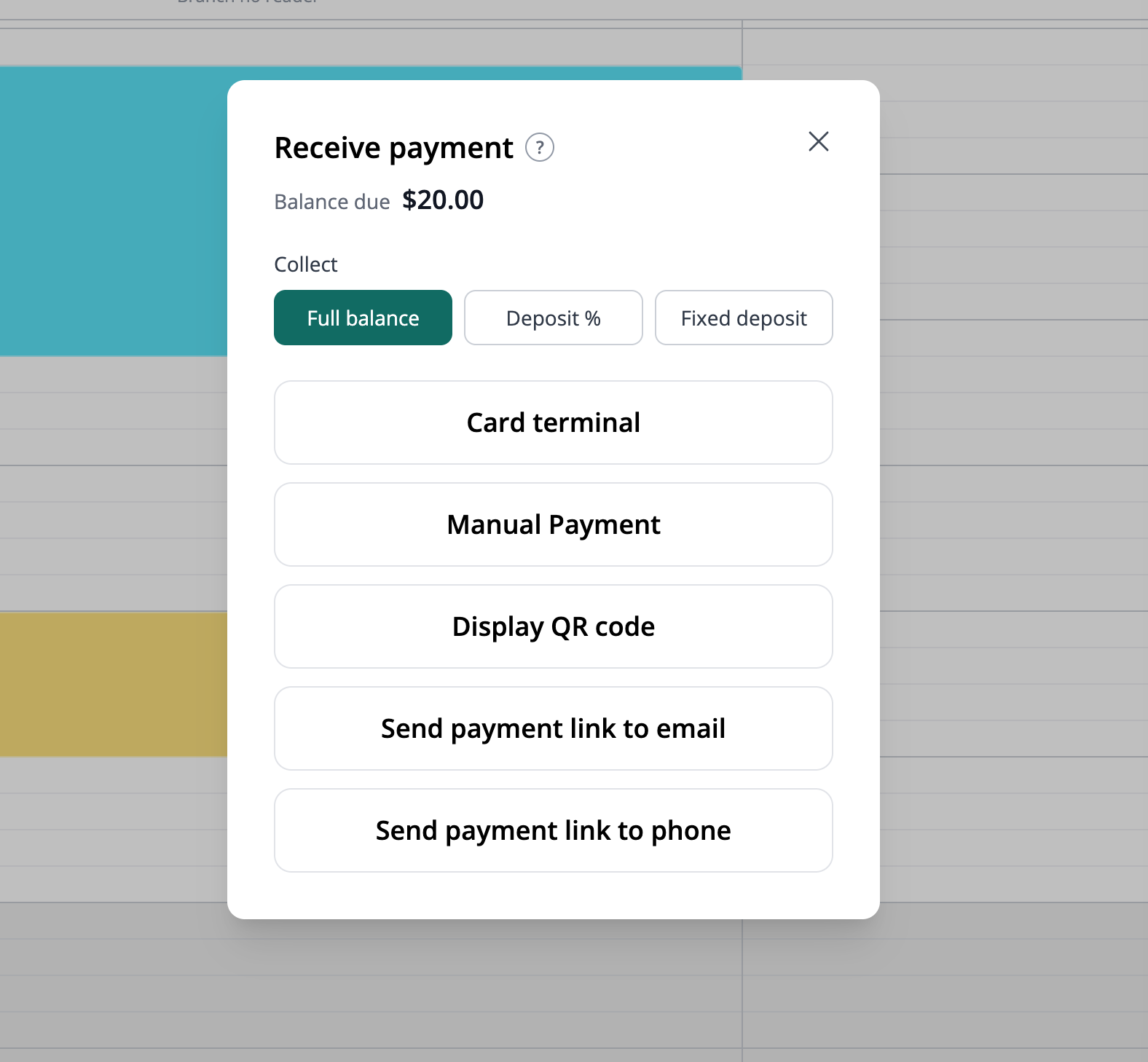
Take payments for service appointments and room reservations while your customers are with you. Open the booking in your calendar and choose how you want to collect the payment.
Collect the full balance, a percentage deposit or a fixed deposit. Use a card terminal, display a QR code, or send a payment link by SMS or email so your customer can pay on their own phone during their visit.
Already collected the payment another way? Choose Manual Payment to record it against the booking.
Accept payments in person
Take card payments at your business using a supported Stripe Terminal reader. Make paying at the front desk a simple part of each visit.
Payments for your bookings
Take in-person payments for service appointments and room reservations from the booking calendar. Choose the amount to collect and the payment method that suits your customer.
Online and at your front desk
Offer in-person card payments alongside your online booking payments. Let clients pay when they book online or at your business, according to your payment arrangements.
Let clients pay from their own phone
Your customers can pay by QR code or payment link while they are at your business, too. Display the booking’s QR code for them to scan, or send the link by SMS or email. They open the payment page on their own phone and complete the payment without a card reader.
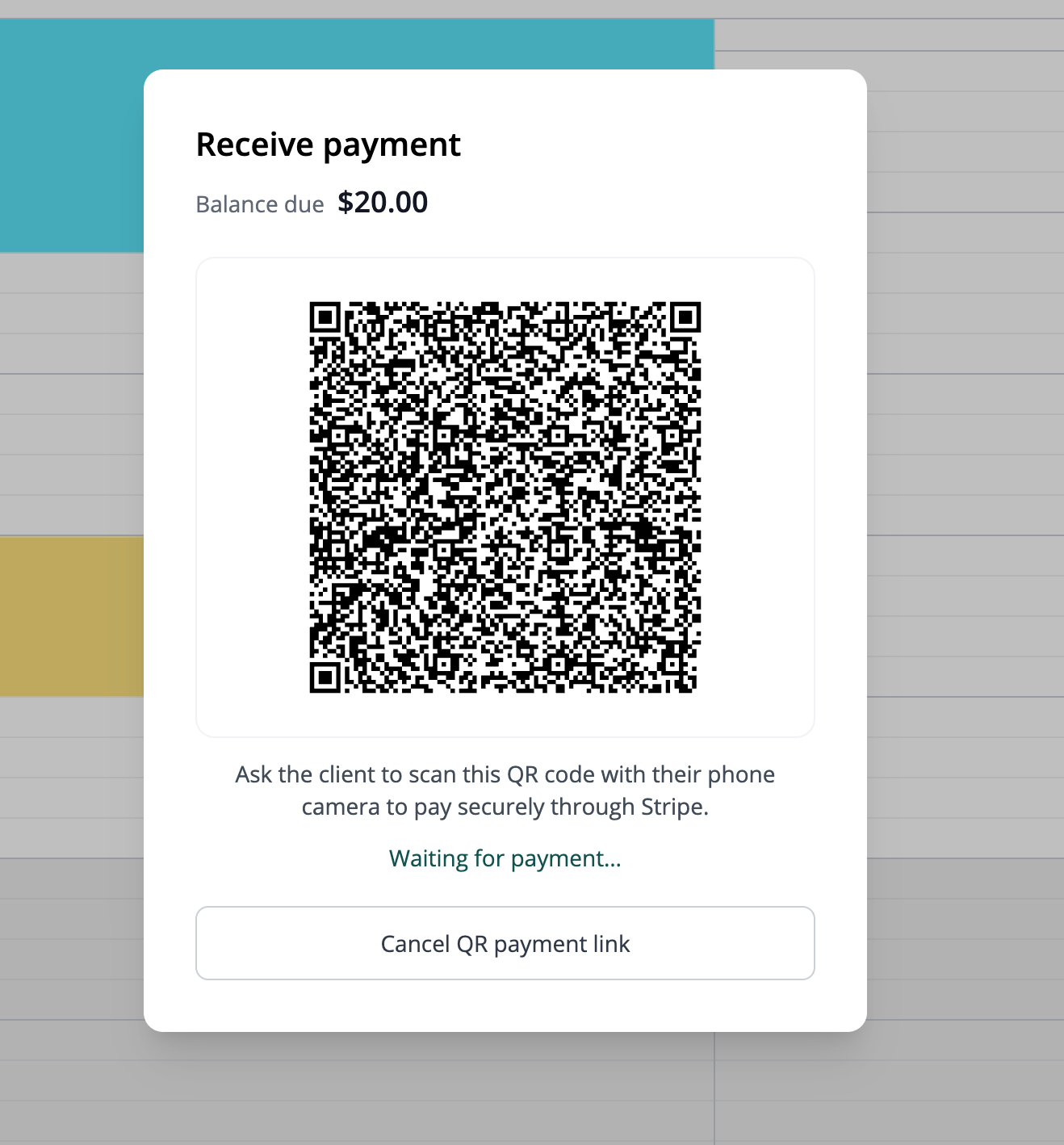
Scan a QR code to pay
Show the booking’s payment QR code when your client is ready to pay. They scan it with their phone camera to open the payment page and complete checkout on their own device.
Send a payment link by SMS
Send the payment link to your client by text message. They can tap the link to open the payment page, whether they are at your front desk or paying before their visit.
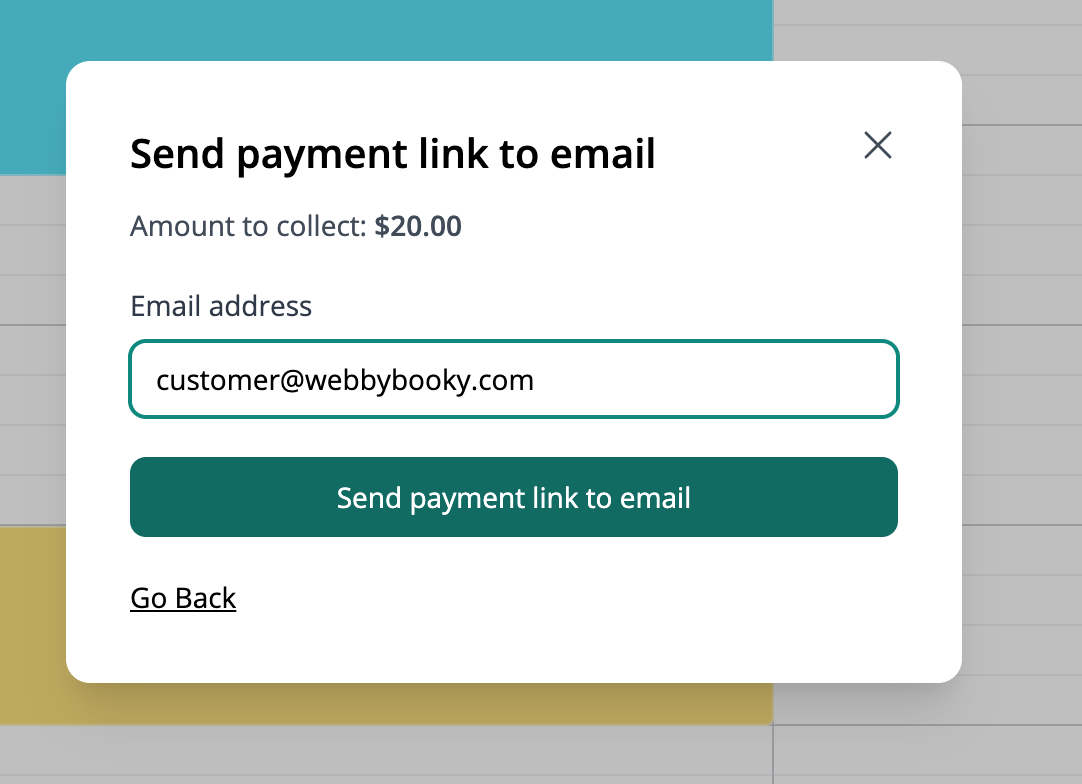
Send a payment link by email
Email your client a payment link so they can open the checkout from their inbox. It is a convenient way to request payment before a visit or share the link while they are with you.
Compatible Stripe Terminal devices
WebbyBooky supports the following internet-connected Stripe Terminal smart readers for in-person payments.
- Stripe Reader S700
- Stripe Reader S710
- Stripe Reader T600
- BBPOS WisePOS E
- Verifone P630
- Verifone M425
- Verifone V660p
- Verifone UX700
Availability varies by country. Some Verifone models require access to a Stripe preview. Check Stripe’s current device list and country availability before buying a reader.
Stripe Reader M2, BBPOS WisePad 3 and Tap to Pay on iPhone or Android require a mobile integration and are not supported by WebbyBooky’s current web checkout.
View Stripe’s devices and country availabilityGet ready to take card reader payments
You will need a Stripe account and a supported Stripe Terminal reader. Reader availability and supported payment methods depend on your country and setup. Contact us for help choosing a setup for your business and understanding the applicable hardware and payment processing costs.
Ask us about in-person payments