How to set up hourly room or space booking
WebbyBooky · Updated 9 October 2026
The time a customer spends on an activity is not always the same as the time they need the room. Build your hire offer around the whole visit: access, setup, use and clearing away. Clear limits and descriptions make the reservation easier to understand for both customers and staff.
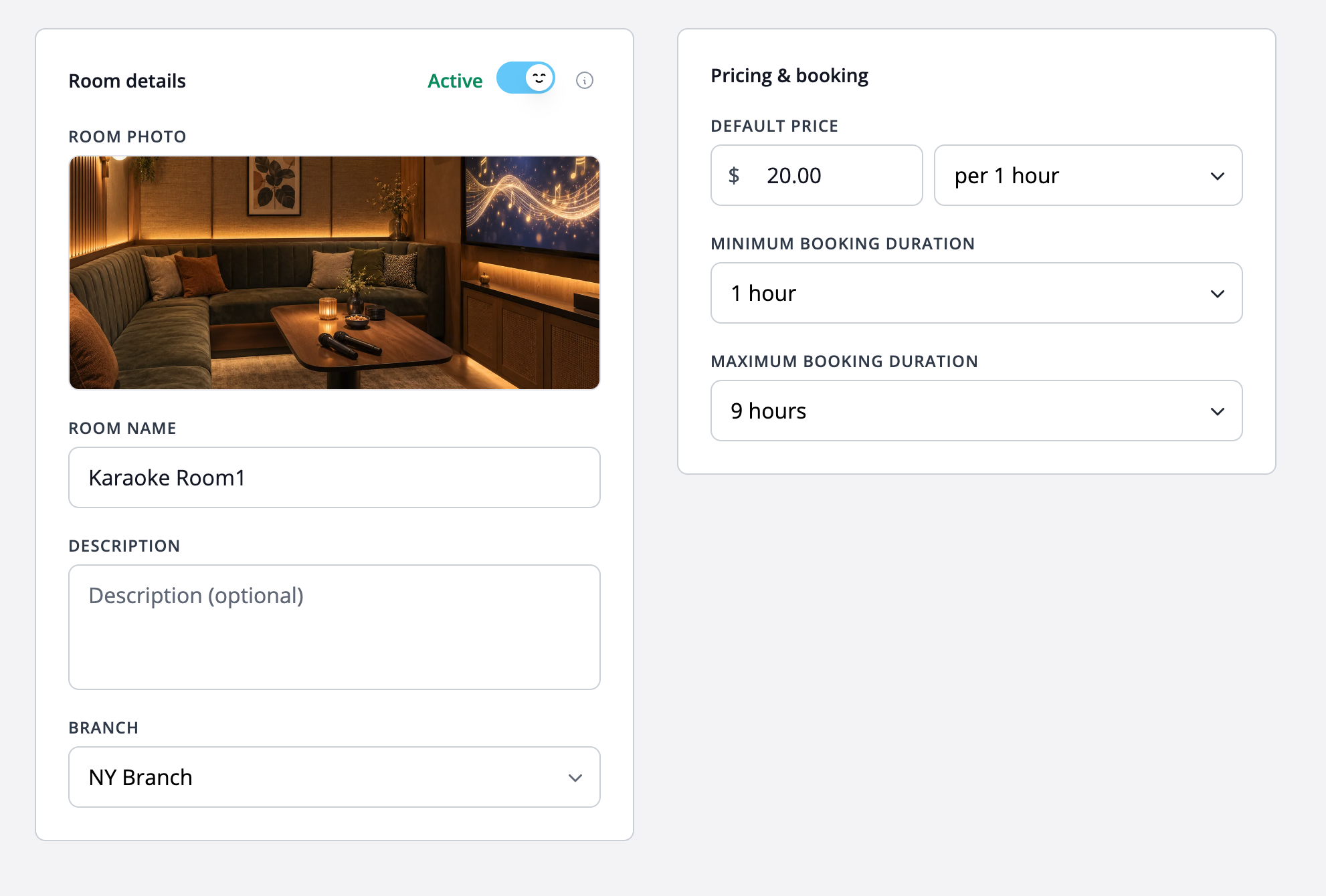
1. Define the space being reserved
Create a listing for each independently bookable room. State the room name, location and suitable uses. If spaces overlap, such as a whole venue and a smaller area inside it, agree an operating process before making them independently bookable.
2. Describe facilities and access
Explain what the hourly rate includes: furniture, equipment and other facilities. Describe access and any venue rules that affect the visit. Arrange additional equipment, catering or staff separately unless they are explicitly part of your hire offer.
3. Set the hourly rate and duration limits
Choose the hourly price and minimum and maximum booking durations. A minimum can reflect the shortest useful hire you offer; a maximum can keep the online choice consistent with how the venue operates. Explain that setup and clearing time should be included where required.
4. Prepare payment and handover instructions
Decide which supported payment options to offer and explain the amount due. Give clear start and finish expectations, and ask customers to contact your team before extending a reservation. Use the room calendar to check the next booking before agreeing to changes.
Worked example
A meeting room priced by the hour
Imagine a room at $20 per hour with a one-hour minimum and four-hour maximum. A three-hour reservation has a base room price of $60. These are illustrative hire settings in USD; explain separately any additional arrangements and your configured payment requirement.
Illustrative setup, not a live booking or customer result. Adapt the names, times and prices to your business.
Before you share your booking page
- Explain exactly which space is reserved.
- Keep hourly prices and duration limits current.
- State the facilities included and access instructions.
- Plan preparation and shared resources through your venue process.